Blog/UptimeRobot Alternative with simple Telegram integration and Private Network Monitoring
UptimeRobot Alternative with simple Telegram integration and Private Network Monitoring
An honest UptimeRobot alternative for indie devs: native Telegram alerts, private-network monitoring via a Lighthouse agent and 1-minute checks from $5/mo.
May 16, 2026
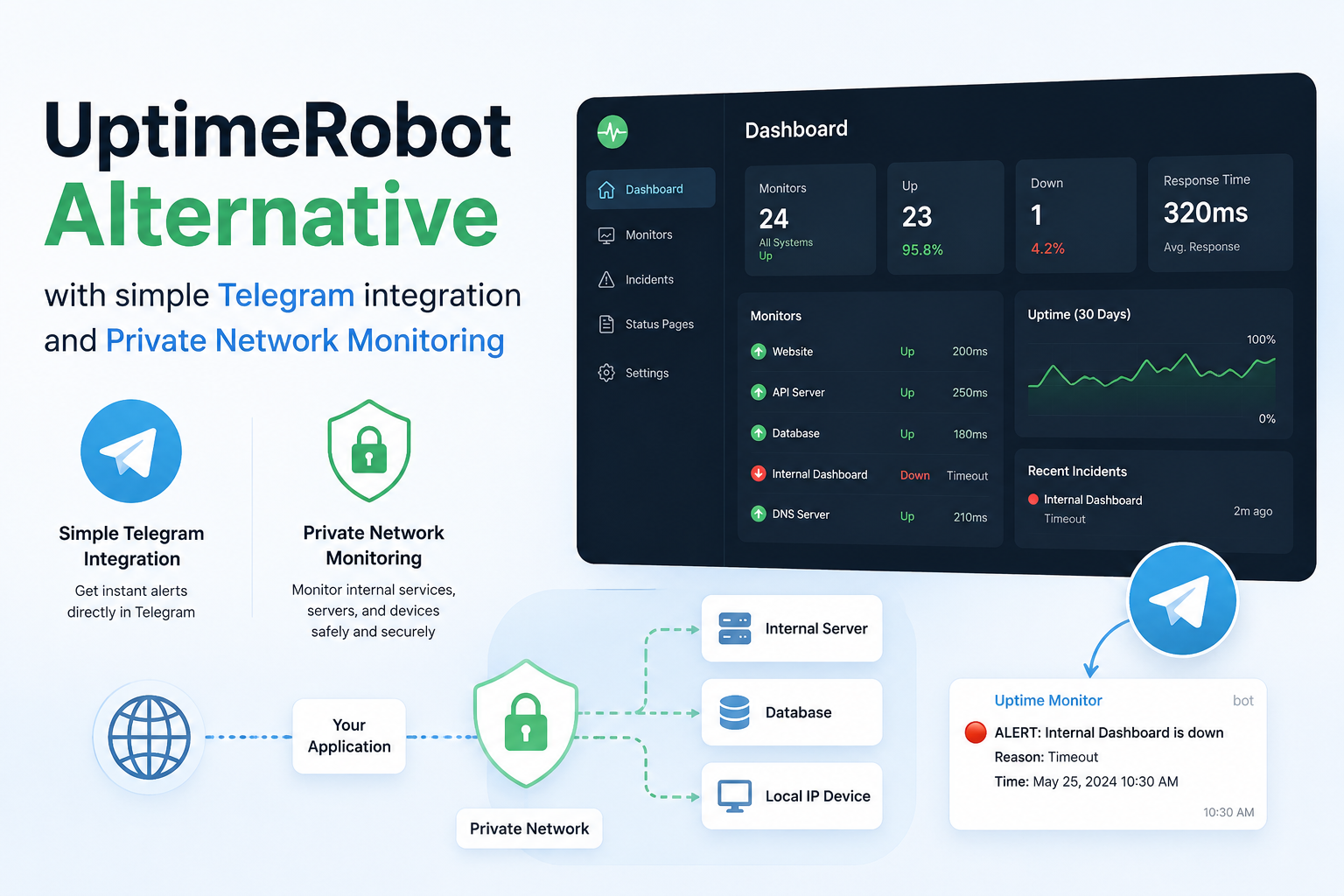
Why I built another uptime monitor when UptimeRobot already exists
I get this question a lot, and it's a fair one: there are at least a dozen credible uptime monitoring services already on the market. UptimeRobot has been around since 2010. Pingdom predates that. Better Stack, StatusCake, Hyperping, Cronitor, Checkly, the lot — all good products, all live, all available. Why ship another one?
Short answer: the products that exist were not the products I wanted to use. Long answer below.
I'll be honest about the bits that aren't differentiators too. This is not a "ours is better at everything" piece. It's a "ours is better at the specific things that broke for me on the existing tools" piece.
The pain points that mattered
Three of them, in order of how often they bit me.
1. Telegram alerts as a first-class channel
Most monitoring services were designed when Slack and email were the canonical alert channels. That era is mostly over for the engineers and small teams I work with.
I run a Telegram channel for personal projects. Most of the small dev teams I know use Telegram groups for their on-call coordination, not Slack. We're not at a 200-person company with a #incidents channel; we're 2-5 people and we live in whatever messenger we already use for everything else.
The state of the market when I started building, and broadly still today:
- UptimeRobot: Slack and email are native; Telegram is technically available across tiers but requires you to create a bot through BotFather, grab a chat ID and wire it up by hand — not a one-click flow.
- Better Stack: Slack, MS Teams, SMS, push and Zapier are first-class; Telegram is not on the official channel list at all.
- Pingdom: Slack and email; Telegram only via webhook / Zapier glue.
- StatusCake: Slack and email; Telegram only via webhook / Zapier glue.
If you wanted Telegram alerts on most of these, you bolted on a webhook and wrote your own glue. It's a fine workaround and it raises the install cost from "3 minutes" to "a couple of hours, maybe a Saturday afternoon." That gap is what scared me about recommending these tools to friends. I wanted Telegram to be one click, the same way Slack already was.
So the first thing I built was the Telegram bot. Two-tap install: tap the bot link, press /start, you're connected. Slack stayed two clicks via OAuth. Email is email.
This was the MVP. Not because the rest of the product was uninteresting, but because the missing-channels gap was the thing that would have made me switch tools by itself.
2. Pricing for individuals, not for procurement
The other gap was on the wallet side.
Most professional monitoring tools price for procurement departments. Better Stack starts around $24/month for the team tier, Pingdom around $15-29 depending on the year, Checkly around $80, all reasonable for a 50-person engineering org with a budget line for observability. None of them are reasonable for a solo developer who wants 1-minute checks and Slack alerts on a side project.
UptimeRobot stays cheap because they price aggressively at the entry point — the free tier is genuinely usable, and the Pro tier is in the $7-11/month range. That's the bracket I cared about. If I'm going to recommend a monitoring tool to the indie devs and 2-person startups in my circle, the price has to be competitive with UptimeRobot.
What I didn't want to do was match UptimeRobot. Matching is a losing game — they've been there 15 years and have brand. What I wanted was to be in the same price bracket while shipping the things they don't ship: more alert channels, multi-region coverage on the entry tier, private network monitoring.
So Status Harbor's pricing ladder ended up as three rungs:
- Free — 5 monitors (HTTP / TCP / UDP) at 5-minute checks, email + webhook alerts, one Lighthouse agent, cron monitoring and a public status page. Genuinely usable on its own, not a 14-day trial dressed up as a free plan.
- Starter — $6/month monthly, $60/year annual ($5/month). Same monitor count as Free, but 1-minute checks, the full HTTP / TCP / UDP / SSL / DNS protocol set and the full alert-channel set including Slack and Telegram. The "I want real checks and Telegram alerts without paying $12" tier.
- Pro — $12/month annual, $15/month monthly. 25 monitors, 1-minute checks, 3 Lighthouse agents, 15 cron monitors, up to 6 team members. The plan most paying customers land on.
At Starter, Status Harbor is actually cheaper than UptimeRobot's Solo plan ($7/month annual, $8/month monthly) for 1-minute checks — which surprised me too once I priced it out. At Pro, we're a few dollars north of Solo but well below Better Stack and StatusCake. The pricing isn't trying to be the cheapest in the market; it's trying to make the math obvious for a solo dev or a 2-person team.
3. Monitoring services behind a firewall
The third gap is the one I underestimated until I tried to use the existing tools for it.
If you have a service that's only reachable from inside a VPC, behind a corporate VPN, or on a private subnet — internal admin panels, staging APIs, a database that doesn't listen on a public port — public-internet probes can't reach it. Period. None of the consumer-tier monitoring tools have a clean answer here. The enterprise-tier tools sometimes do (SolarWinds Network Performance Monitor will run agents inside your network, for $5k/year and a sales call).
The honest answer for a small team has historically been:
- Open an inbound port and a load balancer rule, paying the security tax of exposing a service that doesn't need to be public.
- Set up a VPN gateway between the monitoring vendor and your network.
- Push metrics out of every host into a separate observability stack and infer "is the service up" from "is the metric pipeline reporting numbers."
None of these are good. Each costs more in operational drag than the monitoring itself.
So I built the Lighthouse agent. Single static binary, runs anywhere a Linux process can run (including a Raspberry Pi in a homelab), opens an outbound HTTPS connection back to Status Harbor and probes private HTTP, TCP and UDP services from where they actually live. No inbound listener. No VPN. No firewall changes. The same dashboard covers public and private services, the same incident timeline, the same alerts.
This is the feature I'm proudest of, and it's the one that's hardest to find anywhere else at consumer pricing.
How Status Harbor compares to UptimeRobot, Better Stack and Pingdom
Quick at-a-glance comparison for the indie-dev / small-team bracket. All numbers checked against the vendor pricing pages in May 2026. Where a vendor gates pricing behind a sign-up form, that's called out.
| Feature | Status Harbor | UptimeRobot | Better Stack | Pingdom | StatusCake |
|---|---|---|---|---|---|
| Entry paid plan (annual) | Starter — $5 / mo ($60 / yr) | Solo — $7 / mo ($84 / yr) | Responder seat $29 / mo + $21 / mo per extra 50 monitors | Pricing gated behind sign-up (~$15 / mo historically — verify) | Superior — $20.41 / mo |
| Entry paid plan (monthly billing) | Starter — $5 / mo | Solo — $8 / mo | Responder $34 / mo + $25 / mo per extra 50 monitors | Gated | Superior — $24.49 / mo |
| Recommended plan | Pro — $12 / mo annual, $15 / mo monthly (25 monitors, 3 Lighthouse agents) | Team — $29 / mo annual, $34 / mo monthly (100 monitors) | Responder + 50-monitor add-on — ~$50 / mo annual | Mid tier ~$30–$50 / mo (verify) | Superior — $20.41 / mo |
| Free tier | 5 monitors, 5-min, email + webhook, 1 Lighthouse, cron, status page | 50 monitors, 5-min, 5 integrations | 10 monitors, 3-min, 1 status page | None (14-day trial) | 10 monitors, 5-min |
| Paid-tier check frequency | 1 min | 60 sec | 30 sec | 1 min | 1 min (30 sec on Business) |
| Telegram alerts | ✅ native, 2-tap bot install, from Starter ($5/mo) | Manual BotFather + chat-ID wiring (any tier) | ❌ not on the channel list | Webhook / Zapier only | Webhook / Zapier only |
| Slack / email / webhook | ✅ / ✅ / ✅ | ✅ / ✅ / ✅ | ✅ / ✅ / ✅ | ✅ / ✅ / ✅ | ✅ / ✅ / ✅ |
| Private-network monitoring | ✅ Lighthouse agent (Free tier and up) | ❌ | ❌ | Enterprise only | ❌ |
| HTTP / SSL / DNS checks | ✅ | ✅ | ✅ | ✅ | ✅ |
| TCP / UDP checks | ✅ both | TCP only | ✅ both | TCP only | TCP only |
| Cron / heartbeat monitoring | ✅ (15 on Pro) | ✅ | ✅ (10 included, $17 / mo per extra 10) | ❌ | ❌ |
| Public status pages | ✅ | ✅ | ✅ | ✅ | ✅ |
| Logs + monitoring in one product | ❌ | ❌ | ✅ (Telemetry bundles from $25 / mo annual) | ❌ | ❌ |
The pattern: most boxes are checked across the board because the category has matured. The two columns where Status Harbor is meaningfully different — native two-tap Telegram from the $5/mo Starter plan and the Lighthouse agent for private services — are the columns this whole post is about. On price, the Starter plan ($5/mo annual, $6/mo monthly) is the cheapest 1-minute-check paid plan in this lineup, undercutting UptimeRobot Solo by ~$2–$3/mo.
A few honest caveats on the table:
- UptimeRobot does support Telegram across all tiers, including Free. The catch is the install flow: you create your own bot through BotFather, paste a chat ID and configure it as an alert contact. It works, it just isn't the two-tap experience that Slack is. If you're comfortable with BotFather, this caveat doesn't matter to you.
- Better Stack bundles Uptime with Logs / Traces / Metrics, so a like-for-like comparison gets fuzzy once you add their Telemetry bundles. If you need logs in the same UI, the all-in cost stops looking expensive.
- Pingdom's pricing isn't publicly listed without going through a sign-up form, which is itself a signal about who their target customer is. Treat the $15/mo entry point as historical and confirm with their sales page before quoting.
- StatusCake's Superior plan is competitively priced when annual, but the monthly rate ($24.49) is roughly 5× the Status Harbor Starter rate and 1.6× the Status Harbor Pro rate for a comparable feature set.
Things I won't pretend are differentiators
The risk with a "why I built X" post is that you start dressing every feature as a unique advantage. Most of the things in Status Harbor are not unique advantages. Worth being clear:
- Multi-region monitoring: Status Harbor runs from 3 regions. UptimeRobot, Better Stack, Pingdom, StatusCake all do multi-region too. The 9 number is competitive but not unique.
- Public status pages: every monitoring service has them. Mine work fine, theirs work fine.
- HTTP/SSL/DNS protocol coverage: standard across the category. I cover TCP and UDP too, which not everyone does, but that's a smaller differentiator than I used to think.
- Incident grouping: every modern monitor does this. The shape varies; the substance is the same.
Where Status Harbor isn't the right fit:
- If you need logs and monitoring in one product, Better Stack does that and we don't.
- If you're at an enterprise where vendor procurement is the gating factor (ISO/SOC2, dedicated account team, MSA paperwork), Pingdom is the safer choice — they're SolarWinds, they have a sales motion designed for that.
- If your monitoring needs are basically "ping a public URL and tell me if it's down," UptimeRobot's free tier is hard to beat at $0. I built Status Harbor for the bracket above that, not the one below.
I write this kind of comparison out for users who ask which tool to pick, because hiding it doesn't help anyone. The market is big enough for all of us. The honest pitch for Status Harbor is: indie-friendly pricing, alert channels that actually match where small teams live, and an answer to the private-network monitoring question that most other tools ignore.
What "good enough to launch" looked like
A short note on what I built before I started showing it to anyone:
- 1-minute checks from at least 3 regions.
- HTTP, TCP, UDP, SSL, DNS protocol coverage.
- Slack, Telegram, email, webhook alerts.
- Public status pages.
- Incident grouping with auto-resolve.
- A free tier that was actually useful.
That was the v1 surface. It took longer than I'd planned. Everything past that — the Lighthouse agent, the cron-job monitoring, the analytics — landed after the first paying users.
The lesson I'd flag for anyone building in a crowded category: the market doesn't reward novelty for novelty's sake. It rewards being noticeably better at the specific things that broke for the customer on the previous tool. For my customer (indie dev, 2-5 person team, lives in Telegram, has a Raspberry Pi or a small VPC, doesn't have a procurement department), the previous tools left three things on the table: Telegram-class channels, indie pricing, and an answer to private monitoring. Status Harbor exists to pick those up.
If that's your shape too, the free tier is genuinely usable and takes about 30 seconds to set up. If it's not your shape, UptimeRobot, Better Stack and Pingdom are all good products, and I'd rather you use one of them than the wrong one.
FAQ
Is Status Harbor a real UptimeRobot alternative?
Yes, for the indie-dev and small-team bracket. The overlapping feature set covers 1-minute checks, multi-region monitoring, public status pages and HTTP/SSL/DNS/TCP/UDP probes. Status Harbor adds first-class Telegram alerts, a Lighthouse agent for private-network monitoring and pricing aimed at individuals rather than procurement teams.
Does UptimeRobot support Telegram alerts?
Yes, but the install flow isn't native. UptimeRobot expects you to create your own bot through BotFather, paste a chat ID and wire it up as an alert contact — a working but manual setup. Status Harbor installs a Telegram bot in two taps from the dashboard and treats Telegram as a first-class channel from the Starter plan ($5/month) upward.
How do I monitor a service behind a firewall or VPN?
Run an outbound-only agent inside the network. Status Harbor's Lighthouse agent is a single static Linux binary that opens an outbound HTTPS connection back to the control plane and probes HTTP, TCP and UDP services from where they actually live — no inbound listener, no VPN gateway and no firewall changes.
How much does Status Harbor cost compared to UptimeRobot?
Status Harbor has three plans: Free, Starter ($6/month monthly or $60/year annual — ~$5/month) and Pro ($12/month annual or $15/month monthly). Starter gives you 5 monitors at 1-minute checks with the full HTTP / TCP / UDP / SSL / DNS protocol set, and is actually cheaper than UptimeRobot's Solo plan ($7/month annual, $8/month monthly). Pro bumps you to 25 monitors, 3 Lighthouse agents, 15 cron monitors and up to 6 team members. The Free tier covers 5 monitors at 5-minute checks with email and webhook alerts, one Lighthouse agent, cron monitoring and a public status page.
When is Status Harbor not the right choice?
If you need logs and uptime monitoring in one product, Better Stack is a better fit. If you're at an enterprise that requires ISO/SOC 2, an MSA and a dedicated account team, Pingdom is the safer pick. If you only need to ping a public URL and get an email when it's down, UptimeRobot's free tier is hard to beat.